
Terranote: Ceramic note-taking

RESPONSIBILITIES

End-to-end product ownership

Requirement scoping and planning for development

Brand identity, voice and social media marketing

The mission

Most ceramicists agree that keeping notes is the easiest way to measure and observe progress.


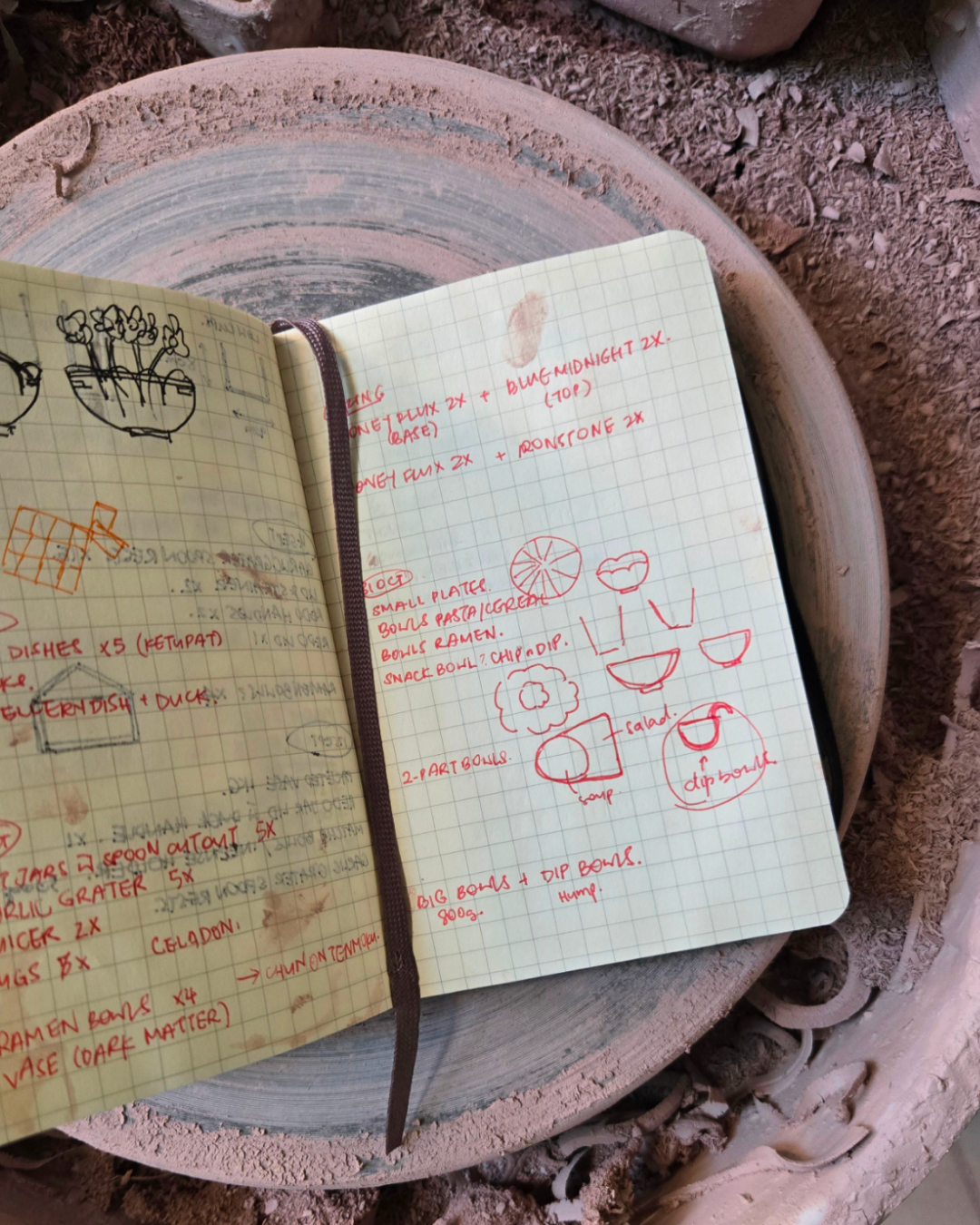
I used a small Moleskine notebook, which held dimensions, glaze formulas, notes on the sessions I had at the studio and more.


My notebook is covered in clay and some of my notes are imprecise. I relied on my photo gallery for images. I changed phones and in the process, left all my notes in iCloud.
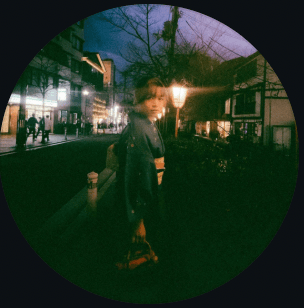
A portrait of you.

Existing solution (and weaknesses)

Before starting

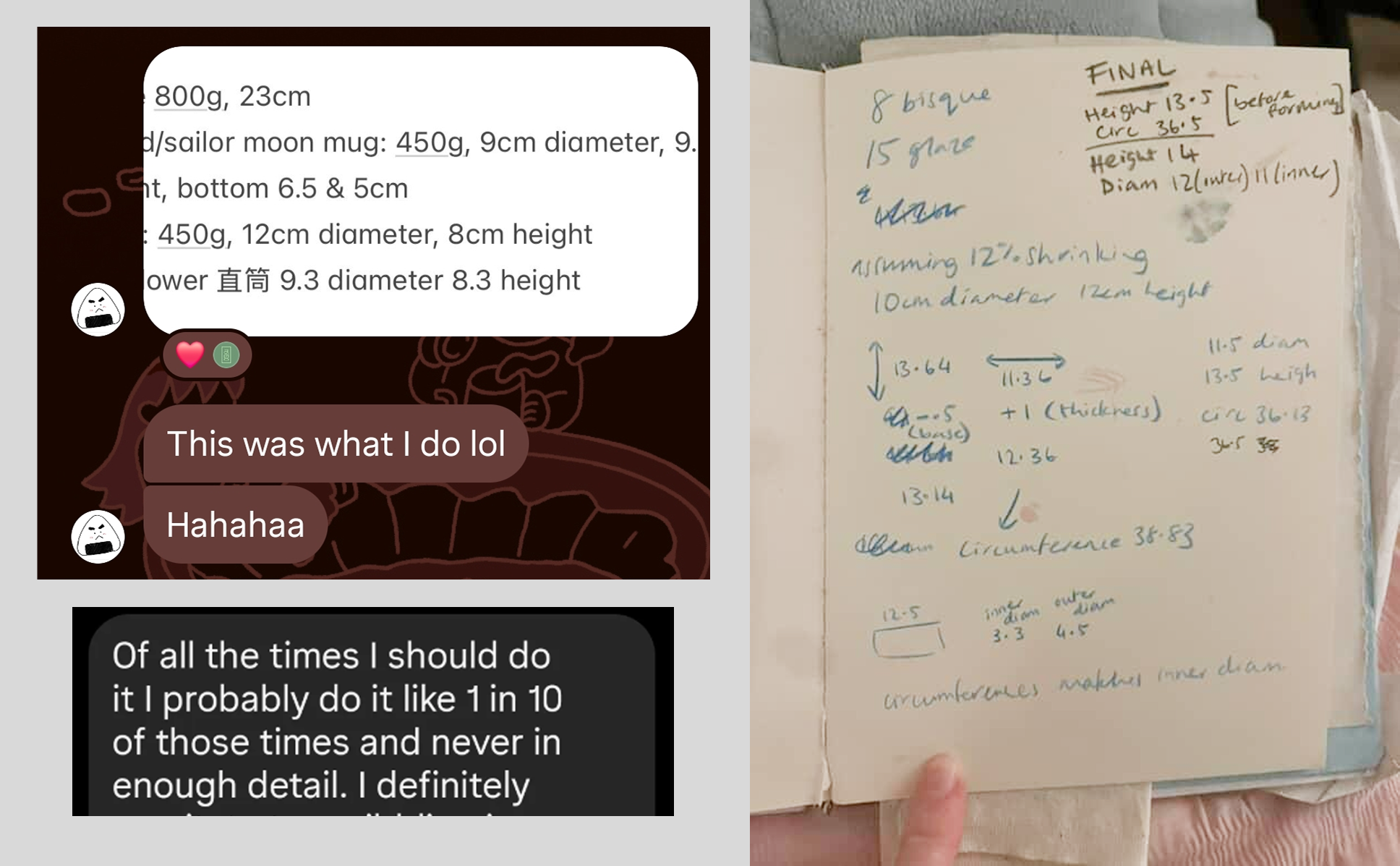
Rather than make an app for one person, I asked a few ceramicist friends if they had the same struggle as I did.


The conversations I had were insightful and confirmed my hypothesis – people had their own methods (mostly notebooks or no notes at all), but would try to use a new solution if there was one.
Design process

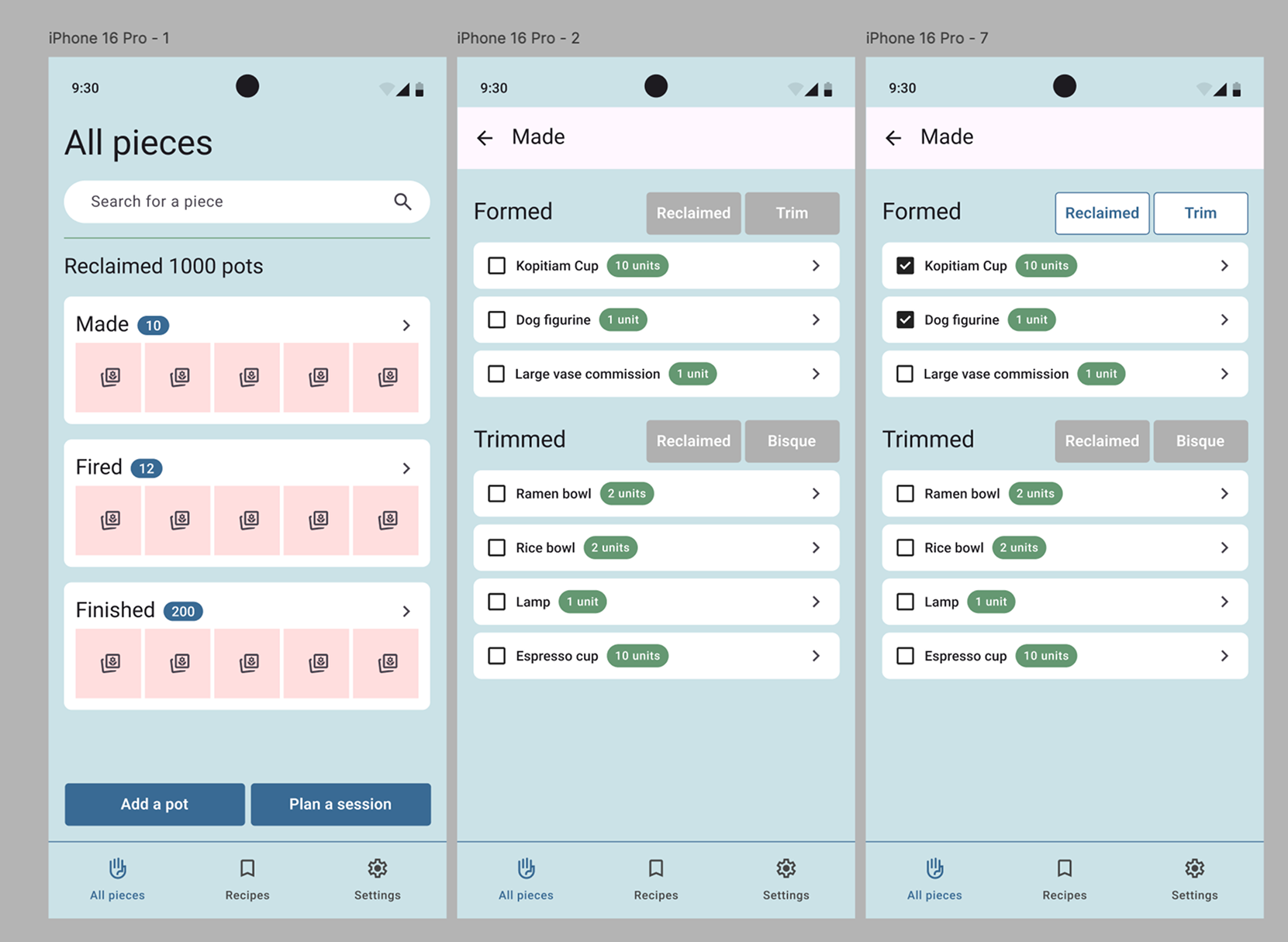
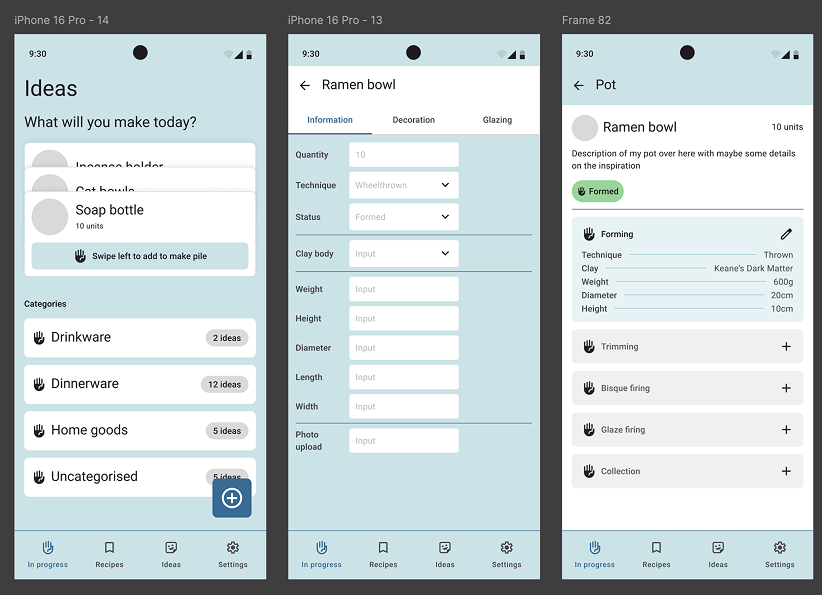
I followed the ‘traditional’ design process and started with low fidelity in Figma. Instead of relying on AI-generated opinion, I wanted the app to reflect the making stages of ceramics and explored ways to group items in the UI while considering the actual (slow) experience of pottery making.

My husband built Terranote using Claude and Figma MCP. Early attempts of me using Claude to build caused a tech debt of a few weeks, so we stuck with the ‘traditional’ designer handoff.
Thumbnail showing sketches of a dashboard
Thumbnail of a powerpoint report slide

MVP Features

1

Stage-by-stage tracking and notes

2

Clay shrinkage calculator

3

Photo gallery and the ability to set a cover photo for each pot

4

Customisable material inventory

5

Customisable tags for sort and search
Voice & Brand

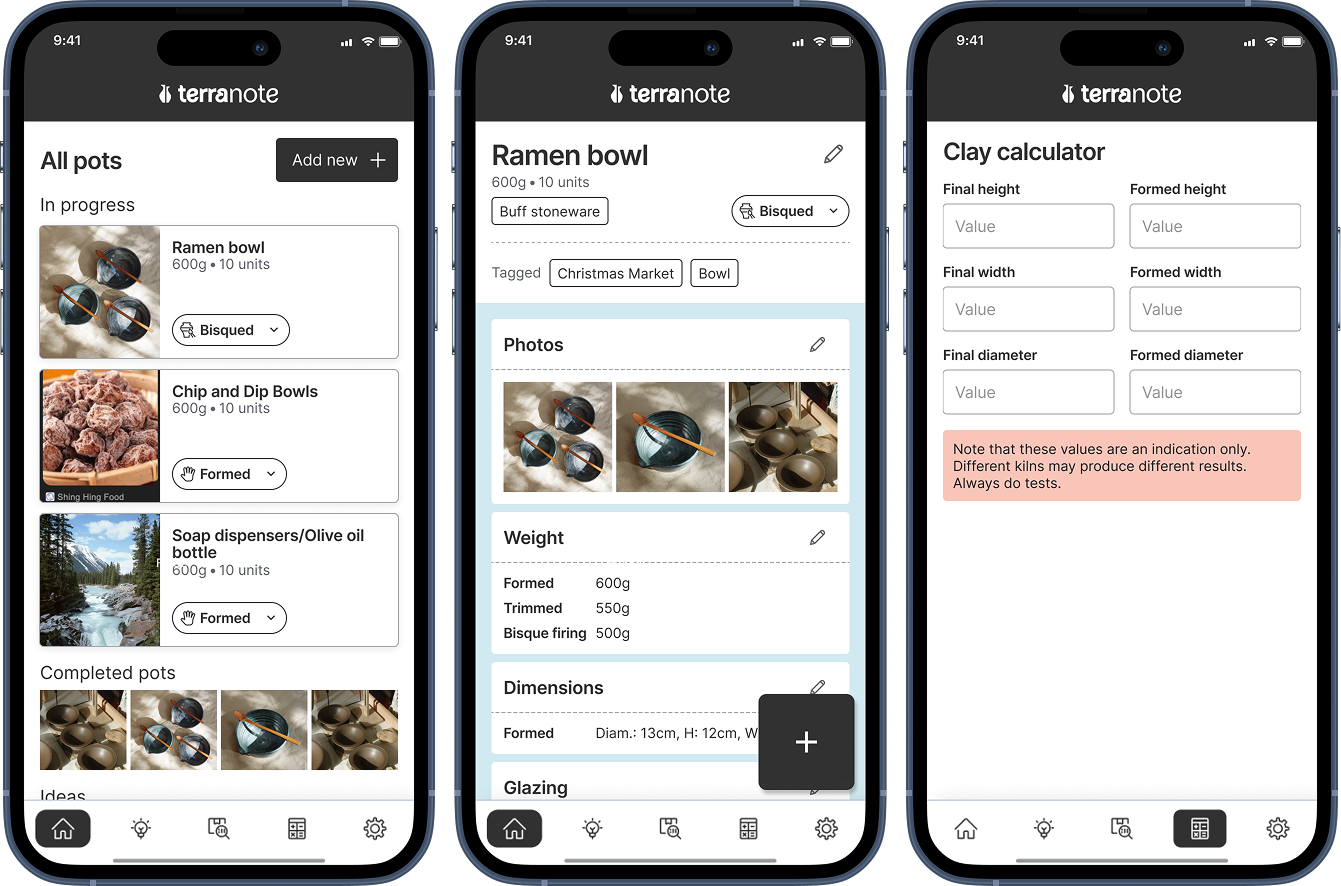
Endeavouring to capture all types of ceramic-making whether wheelthrown, handbuilt or other techniques like nerikomi, we landed on the experience common to every potter: shrinkage and firing. The colours are evocative of a pot being fired, red-hot and glowing orange, while the typeface Babe Sans is used for an elegant, yet slightly playful approach.
Web presence + beta testing

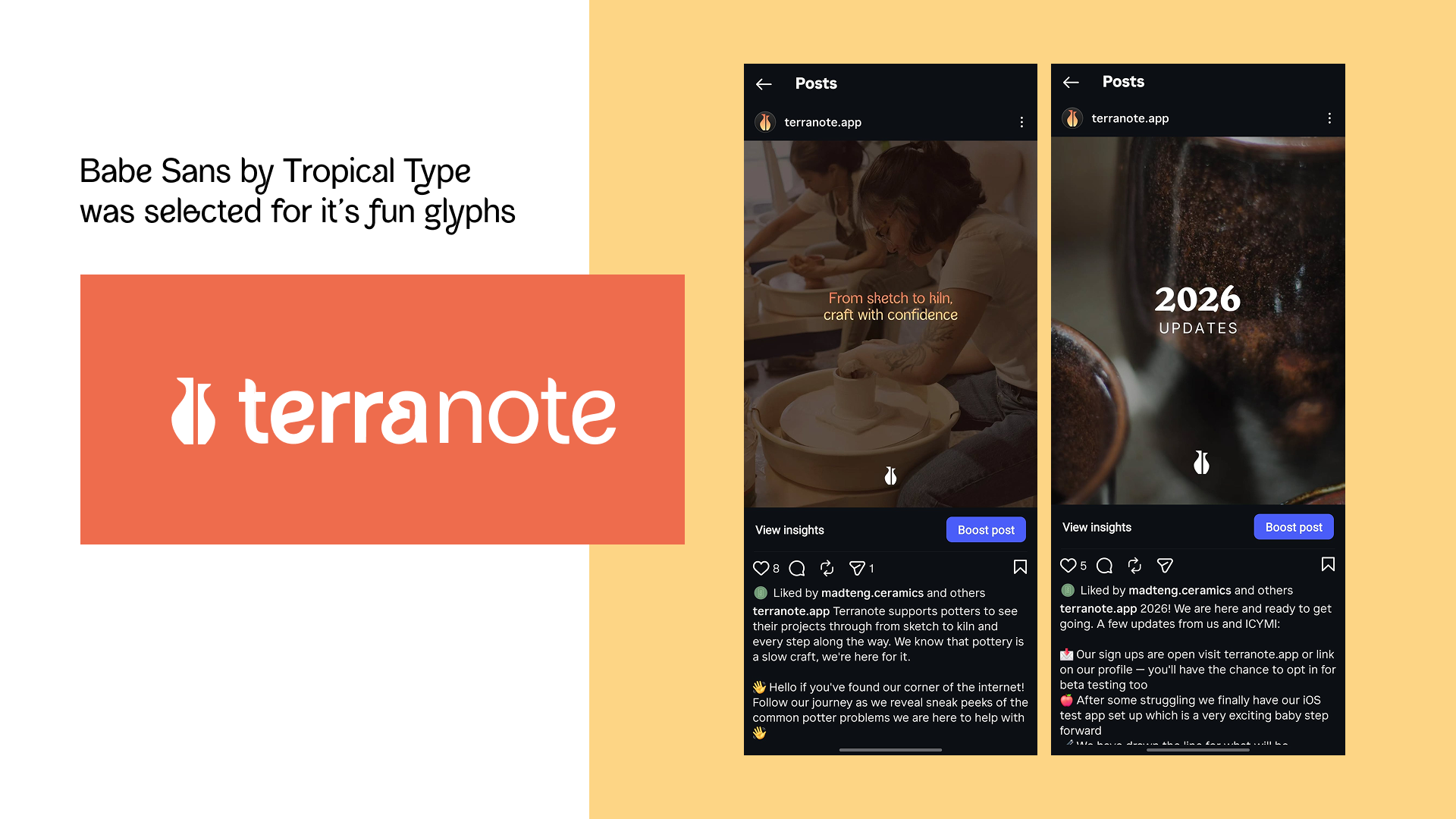
I built a website using Claude and included waitlist sign up sheets for a beta waitlist in December to establish an online presence and build awareness of the app.


We created an Instagram account as well as an email address and continued to create content for social media.
Gabby Morris

@fieldedge_pottery

This app is brilliant – even that shrinkage calculator is just 🤌🏻 I’m in love! It’s so useful as someone that is terrible for taking notes and losing them!
Steph

@websteph

I am chaotic and do not weigh or take any notes when I throw (vibes are vibing) – so this has been something a bit more useful for me to try to be a more consistent potter.

Reflection & what’s next

1

We released to both App Stores in early March 2026

2

Initial responses tell us that we are on the right track.

3

Early adopters organically shared about the tool being useful for them – the proof is in the pudding.

4

Our clay calculator is the ‘unsung hero’ in the launch.

5

We will focus on perfecting the MVP journey before adding nice-to-have features.

Copyright © 2026 Caroline Teng. All rights reserved.

Based in Sydney, Australia.

Logomark

Caroline Teng

Terranote: Ceramic note-taking

RESPONSIBILITIES

End-to-end product ownership

Requirement scoping and planning for development

Brand identity, voice and social media marketing

The mission

Most ceramicists agree that keeping notes is the easiest way to measure and observe progress.


I used a small Moleskine notebook, which held dimensions, glaze formulas, notes on the sessions I had at the studio and more.


My notebook is covered in clay and some of my notes are imprecise. I relied on my photo gallery for images. I changed phones and in the process, left all my notes in iCloud.

A portrait of you.

Existing solution (and weaknesses)

Before starting

Rather than make an app for one person, I asked a few ceramicist friends if they had the same struggle as I did.


The conversations I had were insightful and confirmed my hypothesis – people had their own methods (mostly notebooks or no notes at all), but would try to use a new solution if there was one.

Design process

I followed the ‘traditional’ design process and started with low fidelity in Figma. Instead of relying on AI-generated opinion, I wanted the app to reflect the making stages of ceramics and explored ways to group items in the UI while considering the actual (slow) experience of pottery making.

My husband built Terranote using Claude and Figma MCP. Early attempts of me using Claude to build caused a tech debt of a few weeks, so we stuck with the ‘traditional’ designer handoff.

Thumbnail showing sketches of a dashboard
Thumbnail of a powerpoint report slide

MVP Features

1

Stage-by-stage tracking and notes

2

Clay shrinkage calculator

3

Photo gallery and the ability to set a cover photo for each pot

4

Customisable material inventory

5

Customisable tags for sort and search

Voice & Brand

Endeavouring to capture all types of ceramic-making whether wheelthrown, handbuilt or other techniques like nerikomi, we landed on the experience common to every potter: shrinkage and firing. The colours are evocative of a pot being fired, red-hot and glowing orange, while the typeface Babe Sans is used for an elegant, yet slightly playful approach.

Web presence + beta testing

I built a website using Claude and included waitlist sign up sheets for a beta waitlist in December to establish an online presence and build awareness of the app.


We created an Instagram account as well as an email address and continued to create content for social media.

Gabby Morris

@fieldedge_pottery

This app is brilliant – even that shrinkage calculator is just 🤌🏻 I’m in love! It’s so useful as someone that is terrible for taking notes and losing them!

Steph

@websteph

I am chaotic and do not weigh or take any notes when I throw (vibes are vibing) – so this has been something a bit more useful for me to try to be a more consistent potter.

Reflection & what’s next

1

We released to both App Stores in early March 2026

2

Initial responses tell us that we are on the right track.

3

Early adopters organically shared about the tool being useful for them – the proof is in the pudding.

4

Our clay calculator is the ‘unsung hero’ in the launch.

5

We will focus on perfecting the MVP journey before adding nice-to-have features.

Copyright © 2026 Caroline Teng. All rights reserved.

Based in Sydney, Australia.

Terranote: Ceramic note-taking

RESPONSIBILITIES

End-to-end product ownership

Requirement scoping and planning for development

Brand identity, voice and social media marketing

A portrait of you.

Existing solution (and weaknesses)

The mission

Most ceramicists agree that keeping notes is the easiest way to measure and observe progress.


I used a small Moleskine notebook, which held dimensions, glaze formulas, notes on the sessions I had at the studio and more.


My notebook is covered in clay and some of my notes are imprecise. I relied on my photo gallery for images. I changed phones and in the process, left all my notes in iCloud.

Before starting

Rather than make an app for one person, I asked a few ceramicist friends if they had the same struggle as I did.


The conversations I had were insightful and confirmed my hypothesis – people had their own methods (mostly notebooks or no notes at all), but would try to use a new solution if there was one.

Design process

I followed the ‘traditional’ design process and started with low fidelity in Figma. Instead of relying on AI-generated opinion, I wanted the app to reflect the making stages of ceramics and explored ways to group items in the UI while considering the actual (slow) experience of pottery making.

My husband built Terranote using Claude and Figma MCP. Early attempts of me using Claude to build caused a tech debt of a few weeks, so we stuck with the ‘traditional’ designer handoff.

Thumbnail showing sketches of a dashboard
Thumbnail of a powerpoint report slide

MVP Features

1

Stage-by-stage tracking and notes

2

Clay shrinkage calculator

3

Photo gallery and the ability to set a cover photo for each pot

4

Customisable material inventory

5

Customisable tags for sort and search

Voice & Brand

Endeavouring to capture all types of ceramic-making whether wheelthrown, handbuilt or other techniques like nerikomi, we landed on the experience common to every potter: shrinkage and firing. The colours are evocative of a pot being fired, red-hot and glowing orange, while the typeface Babe Sans is used for an elegant, yet slightly playful approach.

Web presence + beta testing

I built a website using Claude and included waitlist sign up sheets for a beta waitlist in December to establish an online presence and build awareness of the app.


We created an Instagram account as well as an email address and continued to create content for social media.

Gabby Morris

@fieldedge_pottery

This app is brilliant – even that shrinkage calculator is just 🤌🏻 I’m in love! It’s so useful as someone that is terrible for taking notes and losing them!

Steph

@websteph

I am chaotic and do not weigh or take any notes when I throw (vibes are vibing) – so this has been something a bit more useful for me to try to be a more consistent potter.

Reflection & what’s next

1

We released to both App Stores in early March 2026

2

Initial responses tell us that we are on the right track.

3

Early adopters organically shared about the tool being useful for them – the proof is in the pudding.

4

Our clay calculator is the ‘unsung hero’ in the launch.

5

We will focus on perfecting the MVP journey before adding nice-to-have features.